FOR TERMUX, SSH AND CLAUDE CODE
A real keyboard for
terminals on your phone.
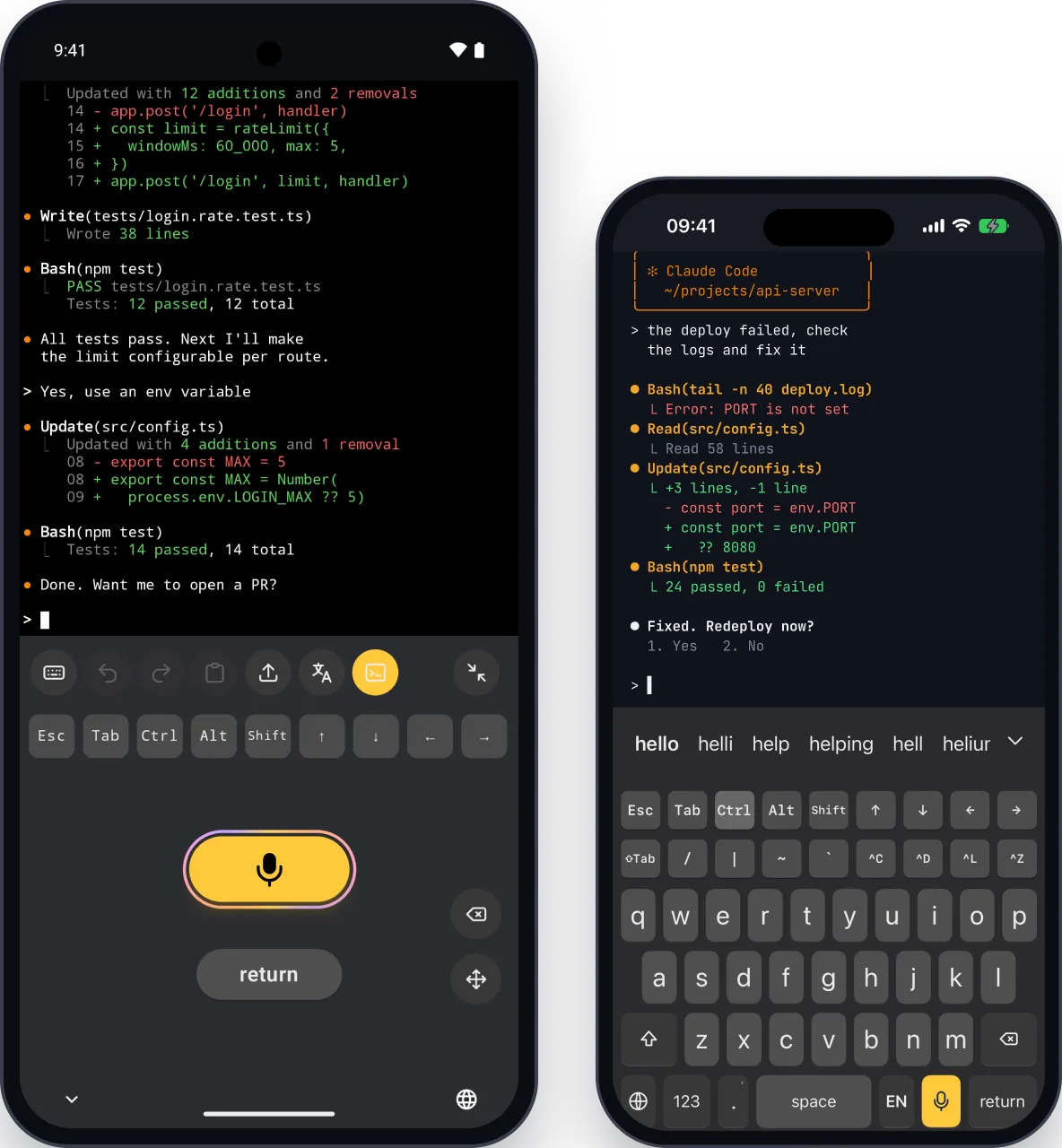
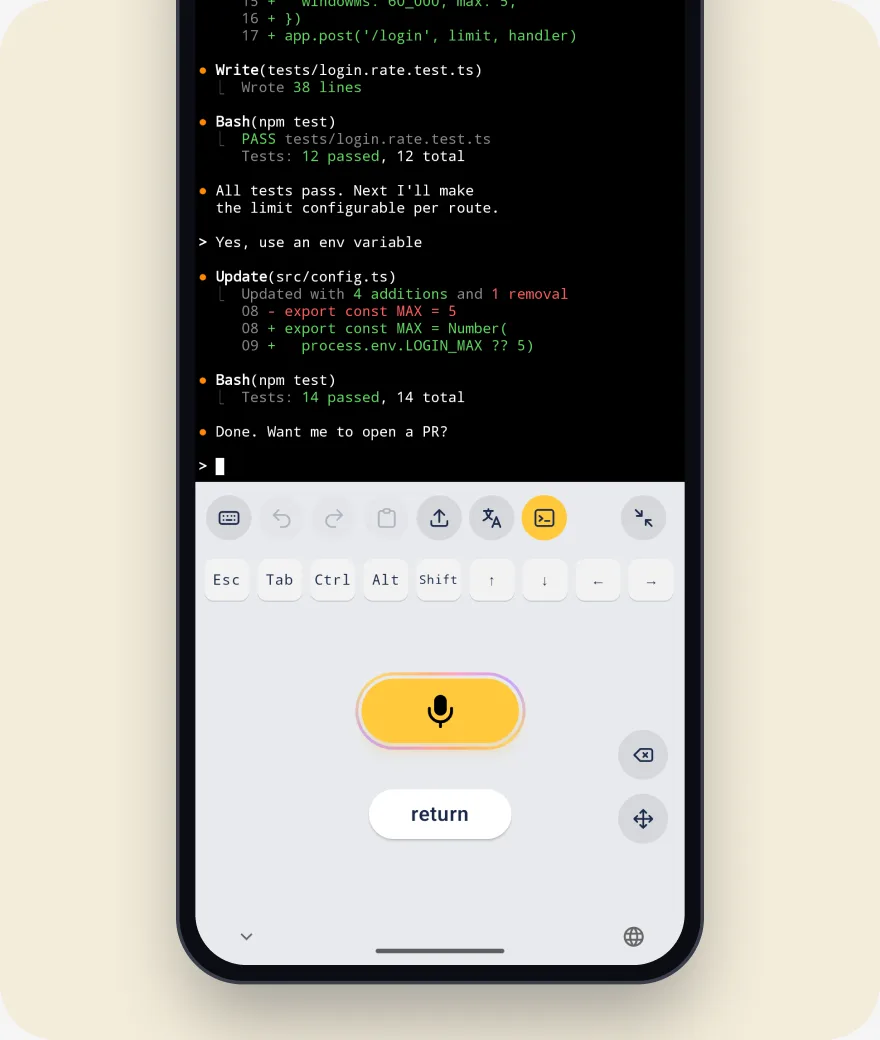
Ctrl, Esc, Tab and arrows where your thumbs are. Screenshots your AI can actually open. Voice for everything else.

iPhone · iPad · Android
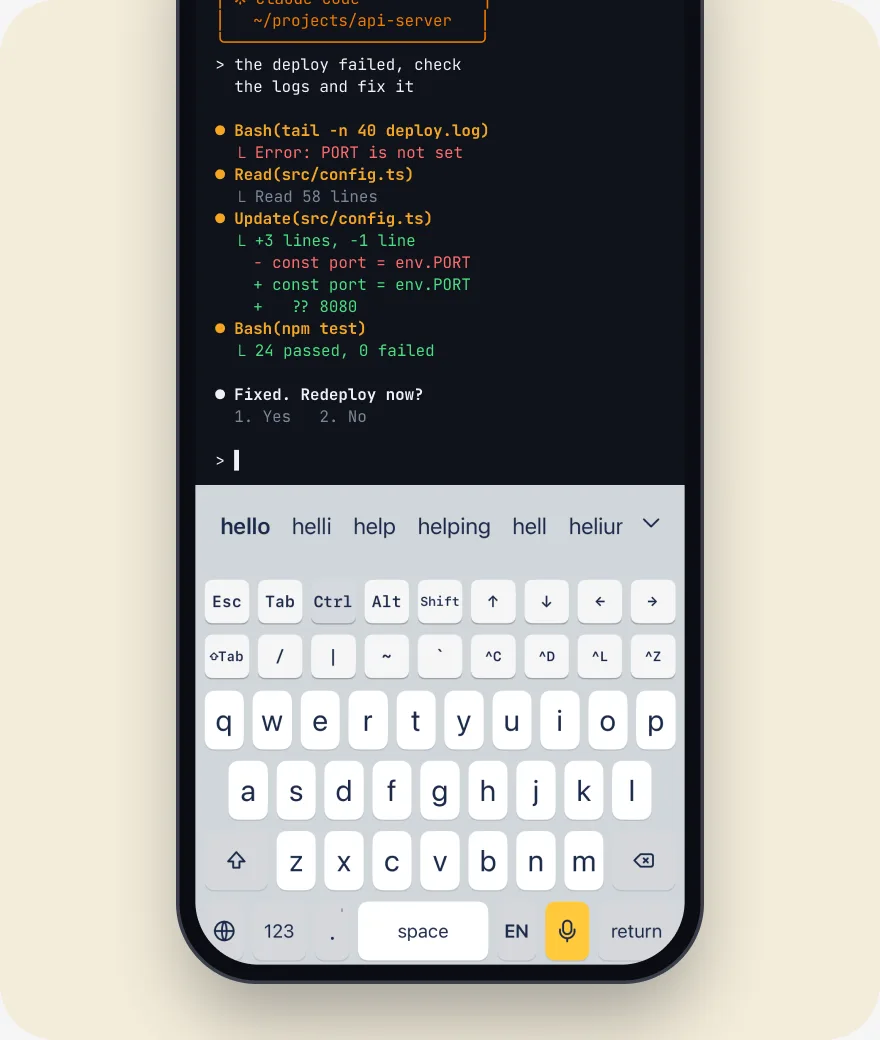
Terminal key row
Turn on the key row from the toolbar and it sits right above the letters. One row or two, paged when you need more. Your letters never shrink.
iPhone · iPad · Android
Combos up to three steps
Build keys like Ctrl+B then C for tmux, or Esc then :wq for vim. Keep a set per tool and long press the >_ button to switch sets.
iPhone · iPad · Android · Mac
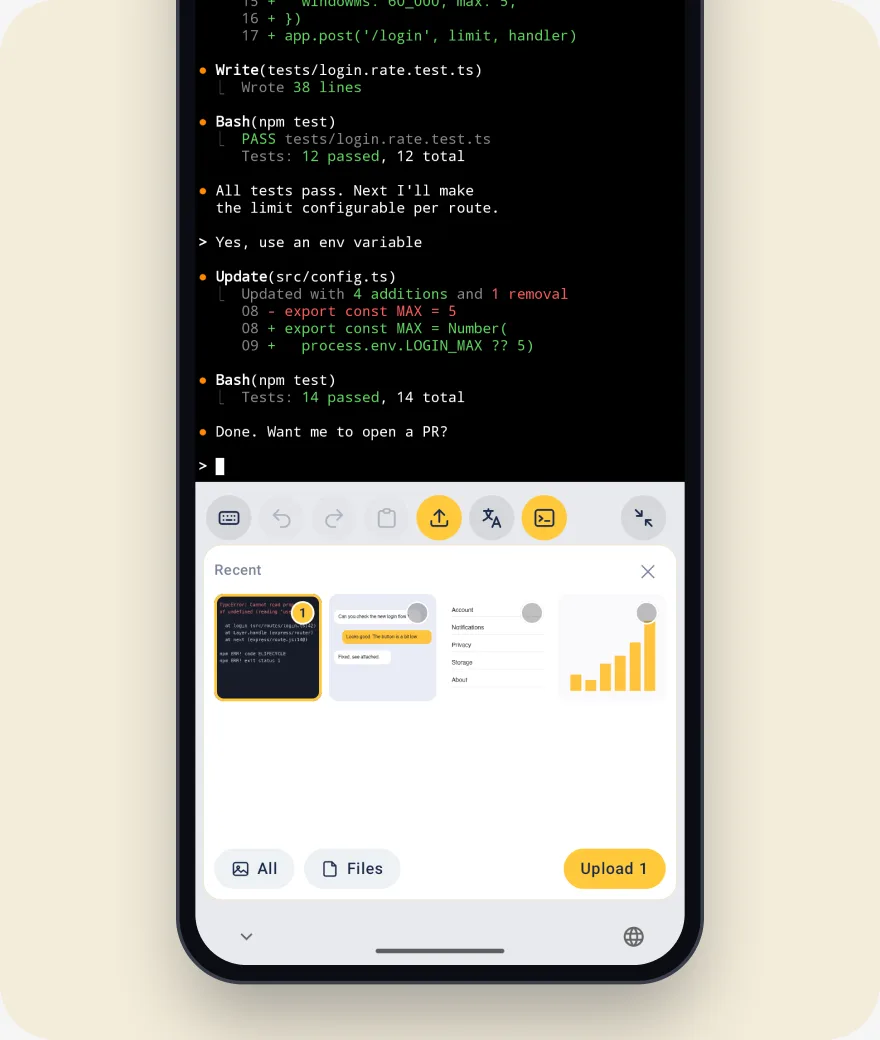
Send your AI a screenshot
Terminals can only paste text. Upload a screenshot or file from the keyboard, Saybird inserts a link, and Claude Code or Codex opens it. Files are kept for 7 days.
Android
Dual-screen handhelds
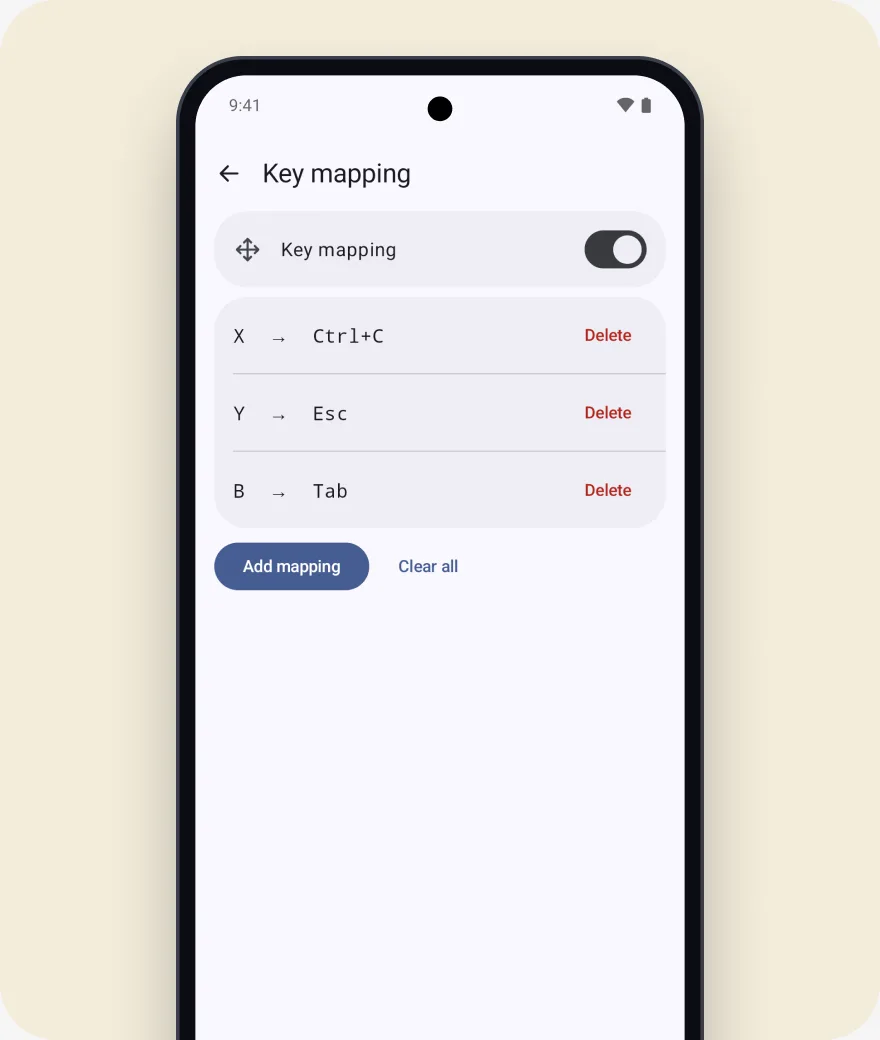
On a dual-screen handheld, tap maximize and the keyboard fills the lower display, opening straight to a full keyboard with terminal keys. Map A, B, X, Y and shoulder buttons to any key or combo. No presets, you decide every button.
Android
Floating mic
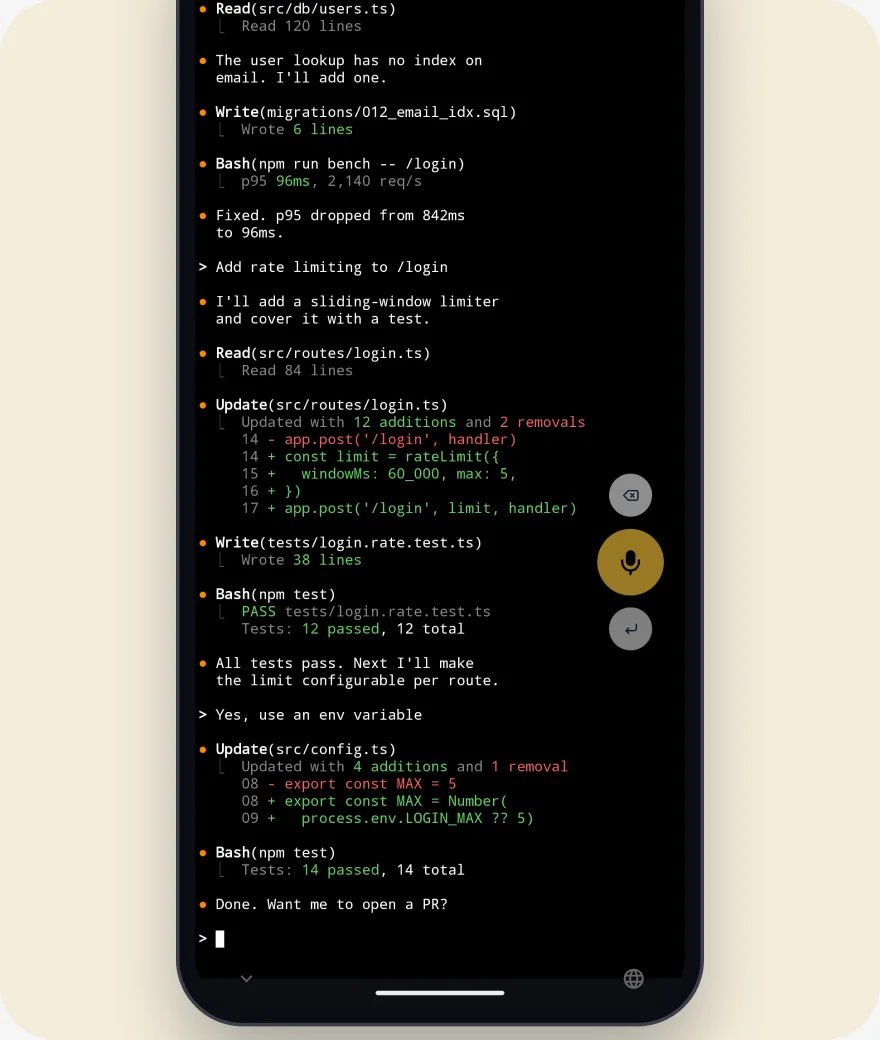
Fold the keyboard into a small bubble to see the whole terminal. Tap it to talk, tap again to finish.
Works in the apps you already use
- Termux
- SSH apps
- Claude Code
- Codex
- tmux
- vim
Saybird is a keyboard. It works anywhere your phone allows a third-party keyboard.